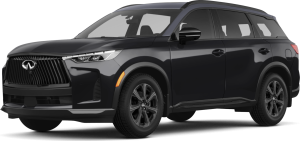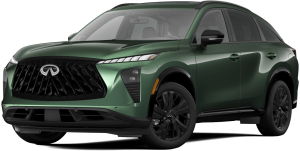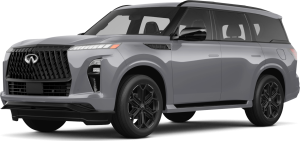
At INFINITI of South Bay, we are committed to serving drivers in Carson, Torrance, Long Beach, Redondo, San Pedro, and Wilmington with all their automotive needs. From expert vehicle service and genuine parts to sales and specialized support, our team is here to ensure your INFINITI performs at its best. Whether you’re exploring new features, maintaining your QX60, or upgrading your vehicle, we’re ready to assist every step of the way. Give us a call or contact us today to experience professional, personalized service from a dealership that puts your driving needs first.
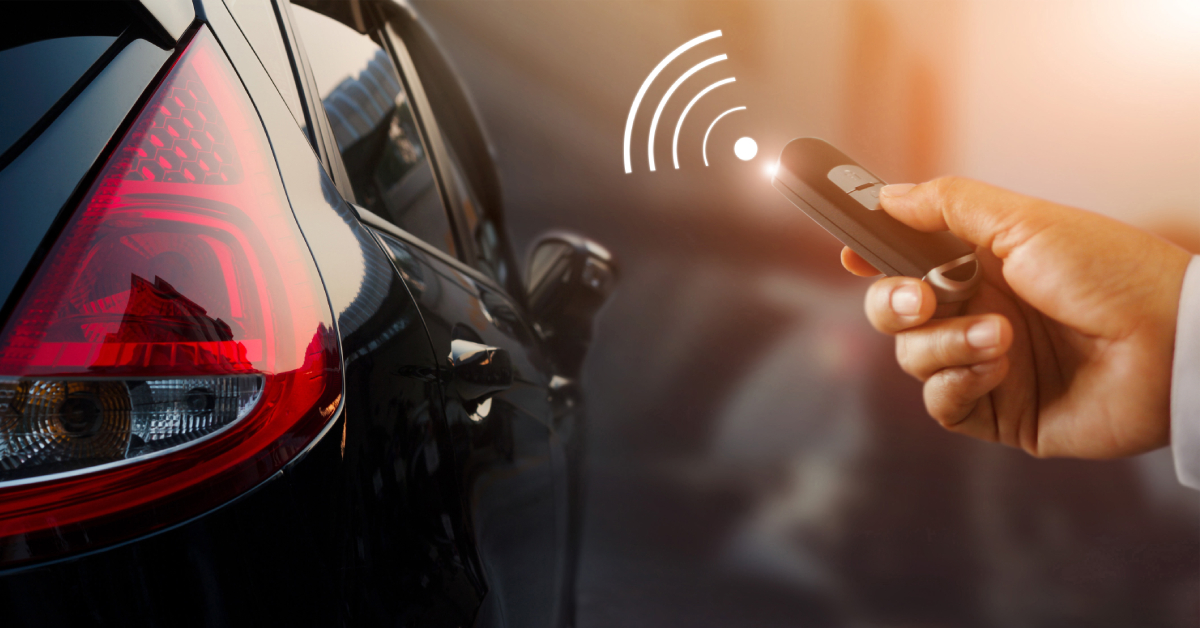
Learning how to remote start a 2026 INFINITI QX60 makes getting on the road quicker, safer, and more convenient. Whether you prefer using the key fob or the MyINFINITI app, knowing the steps and safety requirements allows you to start your engine from a distance, warm up the cabin, and check that your vehicle is ready to drive. From confirming that your QX60 is equipped with remote start to troubleshooting common issues and understanding key fob and app functions, the process is straightforward and accessible for every driver.
What You Need Before Using Remote Start
Before using the remote start feature, it’s important to make sure your QX60 is ready and safe. Taking a few simple steps can prevent errors and ensure your vehicle starts smoothly.
Check the vehicle:
- All doors, hood, and trunk must be fully closed.
- The vehicle should be parked on a flat, safe surface.
- Ensure the parking brake is engaged, if needed.
Verify alerts and warnings:
- Check the dash for any active lights or warnings.
- Address maintenance alerts before attempting remote start.
- Certain alerts may prevent the engine from starting.
Lock the vehicle:
- The QX60 must be locked before remote start works.
- Use your key fob or the MyINFINITI app to lock the doors.
- A locked vehicle ensures the engine starts safely while remaining secure.
Following these steps helps you use the INFINITI QX60 remote start app or key fob without issues. It also ensures your vehicle stays safe and ready when you approach.
How to Remote Start the QX60 Using the Key Fob
Using the key fob is a simple way to start your QX60 remotely. Follow these steps to ensure a smooth start.
Step-by-step remote start using the key:
| Step | Action |
| 1 | Press the Lock button on your INFINITI QX60 key fob to secure the vehicle. |
| 2 | Within a few seconds, press and hold the remote start button (circular/engine icon) for about 2 seconds. |
| 3 | Watch for the turn signals to flash. The engine should start automatically. |
| 4 | Approach the vehicle, press the brake, and push the Start/Stop button to drive. |
Tips if the engine does not start:
- Make sure all doors, hood, and trunk are fully closed.
- Check that the vehicle is locked before pressing the remote start button.
- Replace the key fob battery if it is low or weak.
Using the INFINITI QX60 remote start key allows you to warm up your 2026 QX60, cool the cabin, or simply have the vehicle ready before you enter. Following these steps ensures a secure and reliable remote start every time.
How to Remote Start the QX60 Using the MyINFINITI App
The MyINFINITI app allows you to start your QX60 from virtually anywhere. This method is convenient for warming or cooling the cabin before you arrive.
Steps to use the MyINFINITI app:
| Step | Action |
| 1 | Download the MyINFINITI app from the App Store or Google Play and sign in to your account. |
| 2 | Add your QX60 by entering the VIN or scanning the QR code. Confirm the vehicle is registered. |
| 3 | Tap the Remote Start / Start-Stop button in the app. Follow any prompts to confirm the command. |
| 4 | Wait for the app to display the engine status or remaining run time. The vehicle will start remotely. |
Important notes for smooth operation:
- Ensure your 2026 QX60 has an active InTouch or connected services subscription.
- App connectivity depends on cellular coverage near your vehicle.
- The engine will run for a preset time and automatically shut off if not entered.
- Always confirm doors and hood are closed and the vehicle is safely parked before starting.
Using the INFINITI QX60 remote start app provides a simple and reliable way to use the 2026 INFINITI QX60 remote start feature. It works at any distance, giving flexibility for busy mornings or extreme weather.
Using Voice Assistants to Remote Start Your QX60
Voice assistants provide a hands-free way to start your QX60, making mornings easier and more convenient.
Steps to set up voice commands:
| Step | Action |
| 1 | Link your MyINFINITI account with Alexa or Google Home using the app instructions. |
| 2 | Enable the INFINITI skill on Alexa or the Google Home integration. |
| 3 | Use the voice command to start your QX60 remotely once the setup is complete. |
| 4 | Confirm the engine has started by checking app status or vehicle signals. |
Important notes:
- Voice control requires an active MyINFINITI account with connected services.
- Ensure your QX60 is parked safely and all doors and hood are closed.
- Voice start works alongside other methods, like using the key fob.
For users familiar with how to remote start INFINITI QX60 with key, voice assistants offer an additional layer of convenience. You can start the engine, warm the cabin, or cool it down without touching the fob or phone.
What to Expect from Remote Start
Remote start makes your QX60 ready to drive before you even reach it. Knowing what to expect helps you use it safely and effectively.
Key features and behavior:
| Feature | Details |
| Auto shutoff | The engine will run for 10–15 minutes and stop automatically if you don’t enter. |
| Vehicle security | Doors stay locked, and the trunk and hood remain disabled while running remotely. |
| Climate control | HVAC may follow last settings or preconditioning depending on your QX60 trim. |
| Range | Key fob works within a limited distance; the INFINITI QX60 remote start app works anywhere with cell service. |
Additional notes:
- Always confirm the vehicle is parked safely before starting.
- Use the app to monitor remaining run time and vehicle status.
- Understanding these features ensures you get the most out of your QX60 remote start.
Troubleshooting Common Remote Start Issues
If your QX60 does not start remotely, a few common issues are usually the cause. Checking these items can save time and frustration.
Common problems and solutions:
| Issue | Solution |
| Vehicle not locked | Ensure all doors, hood, and trunk are closed and the vehicle is locked. |
| Key fob battery low | Replace the battery in your INFINITI QX60 remote start key to restore proper function. |
| App login issues | Confirm you are signed in to the correct MyINFINITI account and your subscription is active. |
| Dash alerts | Check the dashboard for warnings or maintenance alerts. Clear issues before attempting remote start. |
Additional tips:
- Always verify the vehicle is in Park before attempting remote start.
- Keep your key fob battery fresh to avoid interruptions.
- If problems persist, contact your INFINITI dealer for assistance with programming or diagnostics.
Replacing or Adding a Remote Start Key Fob
If your QX60 key fob is lost or lacks the remote start button, a replacement may be needed. Proper programming ensures the fob works with your vehicle.
Steps and requirements:
| Step | Details |
| Programming | Key fobs must be programmed by an INFINITI dealer or a qualified locksmith. |
| Part compatibility | Confirm the fob is compatible with your 2026 INFINITI QX60 remote start system before ordering. |
| Proof of ownership | Provide proof of ownership when requesting a replacement or additional key fob. |
| Ordering process | Dealers or locksmiths will guide you through ordering and programming the new fob. |
Additional tips:
- Keep your spare fob in a safe place to avoid lockouts.
- Verify the new fob functions correctly with remote start before leaving the dealer.
- Regularly check the fob battery to ensure reliable operation of the INFINITI QX60 remote start key.
Safety and Legal Considerations for Remote Start
Using remote start safely protects you, your QX60, and those around you. Understanding legal rules is also important.
Key safety guidelines:
| Consideration | Details |
| Enclosed spaces | Never use remote start in garages, carports, or any enclosed area. Exhaust fumes can be deadly. |
| Local regulations | Check local laws on idling and emissions before using remote start. Some areas restrict usage. |
| Vehicle safety | Always ensure the QX60 is parked securely with the parking brake engaged. The vehicle should not move |
Additional tips:
- Only use remote start when it is safe and appropriate.
- Be aware of pedestrians, pets, or other vehicles near your QX60.
- Combining these safety practices with how to remote start INFINITI QX60 with key ensures secure and responsible use.
Frequently Asked Questions About Remote Starting Your QX60
What steps do I follow to remote start the 2026 QX60?
To remote start the 2026 QX60, lock the doors with your key fob, then press and hold the remote start button for about two seconds. Alternatively, you can use the MyINFINITI app to start the vehicle remotely.
Can I use the INFINITI InTouch app to start the QX60 remotely?
Yes. The MyINFINITI app allows you to start the QX60 remotely from anywhere with cellular service, provided your InTouch subscription is active.
Do I need to enable any settings before using remote start?
Yes. Make sure your QX60 is registered in the MyINFINITI app, and confirm that the remote start feature is enabled and supported by your trim level.
What conditions must be met for remote start to work?
All doors, hood, and trunk must be closed. The vehicle must be in Park and locked, and there must be no active dash warnings preventing start.
Will remote start activate the heated or cooled seats?
Some trims may precondition climate control, but heated or cooled seats typically follow your last settings. Check your owner manual for specific behavior.
Learn More and Visit INFINITI of South Bay
For drivers in Carson, Torrance, Long Beach, Redondo, San Pedro, and Wilmington, our team is ready to help. Contact INFINITI of South Bay for more details about the QX60, remote start features, or any other questions. Our dealership offers a wide selection of vehicles to fit your needs.
If you want to compare the QX60 to other top SUVs, check out our QX60 vs Explorer guide, QX60 vs GX guide, or QX60 vs Grand guide. These comparisons help you see how the QX60 stands out for comfort, performance, and technology.
Visit us on site or check our latest INFINITI vehicles online, learn about features, and plan your next test drive. You can also schedule service or get answers from our experts. The QX60 and other INFINITI models are ready for you to experience today.
Get Directions to INFINITI of South Bay
Disclaimer: All information is provided for general informational and entertainment purposes only. While we strive for accuracy, we cannot guarantee that all content is complete, current, or error-free. Any reliance you place on such information is strictly at your own risk. This article may include opinions and is not endorsed by, or officially affiliated with, any vehicle manufacturer or brand. Always consult official sources – such as the vehicle’s owner’s manual, authorized dealerships, or certified professionals – for the most up-to-date and personalized information.